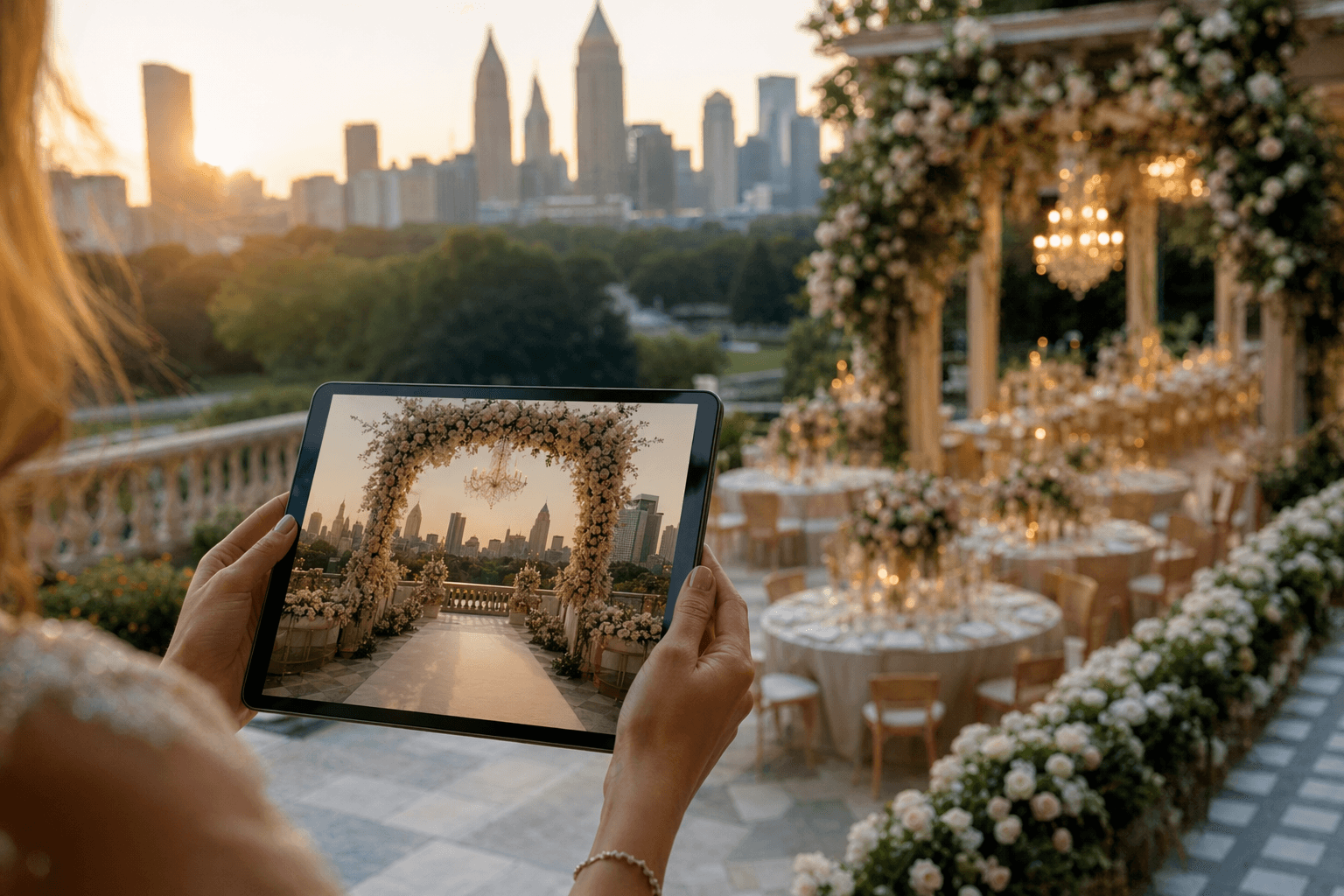
An AI wedding vision tool generates a personalized visual preview of your event based on a short intake — style, colors, venue, guest count. Here's how the technology works, what to expect, and why visualizing before you plan matters.
Three years ago, "seeing your wedding before you plan it" meant endless Pinterest scrolling and asking a planner to sketch something you'd hopefully recognize. Today, an AI wedding vision tool can generate a personalized preview of your event in about 60 seconds. Here's what that means, how it actually works under the hood, and what to look for in a good one.
What an AI wedding vision tool does
The short version: you give a software tool some inputs about your event, and it returns a visual image (sometimes a short video) of what the decorated space could look like. The goal is to take the abstract ideas in your head — "classic but not stuffy," "garden feel with gold accents," "moody reception, light ceremony" — and turn them into something concrete you can react to.
At The Grand Moment, the couple answers six short questions: what are you celebrating, what's your style, what's your budget range, what services do you need, do you have a venue photo, and who are you. We use that to generate an image of their wedding (or birthday, or corporate event) and a curated list of Atlanta vendors who match the style direction. The whole thing takes about 60 seconds.
Other tools do this differently — some ask for more detail, some less, some focus only on venue-specific transformations, some produce mood boards instead of rendered photographs. The fundamentals are the same: you input taste, they output a visualization.
How the technology actually works
There are two layers to most AI wedding tools:
1. Understanding what you want
When you pick "classic elegance" as your style, the tool needs to translate that into specific design language an image model can understand. "Classic elegance" doesn't mean much to an AI; "crystal chandeliers, cream and ivory floral centerpieces, polished gold chargers, tall floral pedestals, chiavari chairs" means something very specific. The best tools silently enrich your simple inputs with curated design language so the image model has enough to work with.
If you also write freeform description ("I want lush greenery spilling over long farm tables, candles everywhere, no formal head table"), the tool's language model parses that, extracts the key elements, and weaves them into the prompt that ultimately gets sent to the image generator.
2. Generating the actual image
Behind the scenes, an image generation system takes the enriched prompt and produces a photograph-style rendering. The best tools use "image edit" rather than pure text-to-image — they start from an empty venue photograph and selectively add decor, preserving architecture, windows, ceiling details, and perspective. That matters because it keeps the image grounded in a real space rather than a generic AI ballroom.
Some tools also generate short walkthrough videos — essentially a 5–10 second cinematic camera move through the rendered space. This is computationally expensive but dramatically more immersive than a still image.
What makes a good AI wedding vision tool
Not every AI wedding tool is equal. Here's what to look for:
- Venue fidelity. Does the output respect the actual architecture of the venue, or does it replace it with a generic ballroom? Good tools let you upload your venue photo and keep it intact, only adding decor. Low-quality tools generate a stock ballroom and call it yours.
- Style accuracy. If you choose "bold and dramatic," does the result actually look moody and jewel-toned, or does it still render pastel wedding imagery? Many image models have strong priors toward "wedding reception" aesthetics regardless of the prompt — the best tools explicitly fight those biases.
- Non-wedding event support. If the tool only works for weddings, you're stuck. A good AI vision tool handles birthdays, corporate events, anniversaries, baby showers — each with appropriate decor language (no ceremony aisles on a corporate event, no floral arches on a birthday).
- Color accuracy. Amber cast is the #1 giveaway of a lazy AI render. Your vision should look like it was shot at midday with daylight-neutral balance — not like a candle-lit dusk scene regardless of what you asked for.
- Speed. Good tools generate in under 90 seconds. Anything over 3 minutes is either overloaded or using expensive model stacks without caching.
- What you can do with the output. Is the vision just a teaser to get you to sign up for something, or can you actually share it with vendors, save it, download it? A good tool treats the image as yours.
Why visualizing before you plan matters
Here's what we keep hearing from the Atlanta couples and vendors we've met while building this platform: most people don't know what they want until they see it. They have reference images on Pinterest, but those are other people's weddings. They can describe a vibe, but when the quote comes back from a florist for "lush garden arrangements," they don't know if the price is right because they don't know what they'll actually get.
An AI wedding vision tool collapses that ambiguity. When you see your event rendered — even if the render isn't perfectly literal — you can react to it. You can say "yes, this is the direction" or "no, too formal, I want something more playful." That reaction is worth more than any amount of browsing because it commits your preferences to something concrete.
For vendors, this is also a win. Instead of spending 45 minutes on a discovery call trying to extract what a couple wants, the vendor can look at the vision output and start the conversation at "how do we bring this to life." Response rates go up. Booking conversations happen faster. Nobody wastes time.
Where the technology is going
We think three things happen over the next two years:
First, the image quality will become indistinguishable from professional photography. Right now, trained eyes can spot an AI render. In 18 months, they won't.
Second, the tools will go deeper into vendor-specific matching. Today's AI wedding tools capture aesthetic — tomorrow's will match you not just to "a florist who does this style" but to a specific florist whose portfolio most resembles your output, factoring in their availability on your date.
Third, the walkthrough video will become standard. Static images are fine, but a 10-second camera move through your rendered venue is dramatically more emotional, and video models are getting better fast.
Our take
If you're planning a wedding — or any event — in 2026, visualizing before you commit is the single highest-leverage thing you can do. It doesn't replace talking to vendors, touring venues, or hiring a planner. It orients those conversations around something concrete. That orientation saves time, money, and the slow erosion of decision fatigue.
At The Grand Moment, we built our AI vision tool because we kept watching couples describe their dream wedding to vendors and then get back a quote for something that didn't match. The gap between "what you meant" and "what you got back" is the expensive part of wedding planning. AI vision closes the gap.
Try it yourself — it's free, no card, and takes about 60 seconds.
Your Vision Awaits
Describe Your Dream Event
Get matched with vendors who specialize in your exact style, budget, and vision.
Get Matched